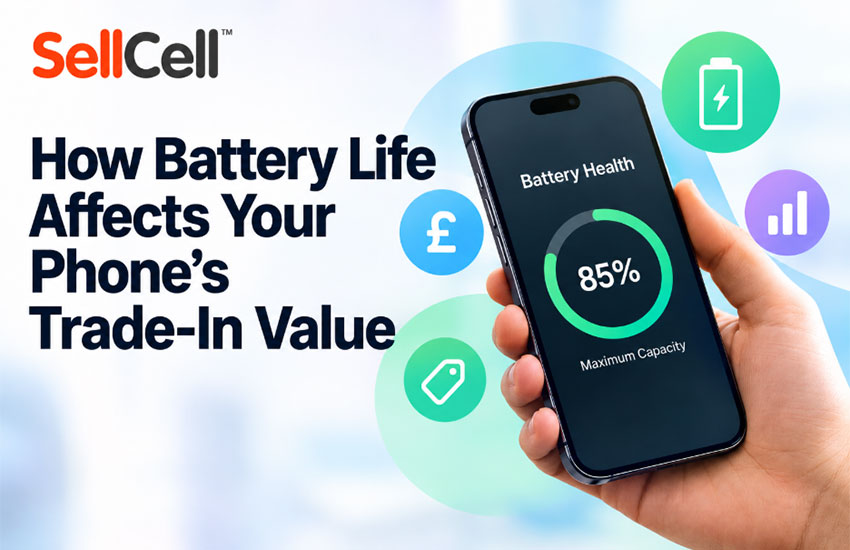
Your phone’s battery health can affect how much you receive when selling it, regardless of how it looks or operates.
When assessing a phone’s condition, buyers consider more than scratches, damage and functionality. Many also have specific battery health requirements that determine which trade-in price your phone qualifies for.
For example, your phone may meet the cosmetic and functional requirements for Mint condition, but if its battery health is below the buyer’s required percentage, it may not qualify for the advertised Mint price.
That’s why it’s important to check your phone’s battery health in its settings before comparing offers on SellCell.
What is battery health?
Battery health measures how much charge your phone’s battery can hold compared with when it was new.
For example, a phone with 85% battery health retains approximately 85% of its original battery capacity.
Battery capacity naturally decreases over time. As a result, battery health can influence your phone’s condition grade and trade-in value.
How do I check my phone’s battery health?
iPhone
- Open Settings.
- Tap Battery.
- Select Battery Health or Battery Health & Charging, depending on your model.
- Check the Maximum Capacity percentage.
Android
Battery health information varies by manufacturer and model. Some Android phones display battery health under Settings > Battery or Battery information.
If your phone doesn’t show a percentage, check the manufacturer’s battery diagnostics or support guidance.
How does SellCell classify phone conditions?
SellCell groups trade-in offers into four condition categories to make comparing prices easier.
| Condition | Description |
| Mint | Looks brand new, with no scratches or cosmetic damage, and is fully functional. |
| Good | Light to moderate signs of wear, but fully functional. |
| Poor | Significant cosmetic wear, such as scratches or dents, but otherwise fully functional. |
| Faulty | Physical damage or functional problems, which may include battery-related issues. |
Each buyer has its own grading criteria, which SellCell maps to these four categories as closely as possible.
Battery health is one of the requirements that can vary between buyers, even within the same condition category.
What battery health do SellCell buyers require?
Different buyers have different battery health requirements for Mint, Good, Poor and Faulty condition phones.
For example, some buyers require battery health above 95% for Mint condition, while others accept above 80%.
The following tables show the battery health requirements stated by buyers for the condition grades mapped to SellCell’s categories.
Mint condition
Mint phones should look brand new, with no cosmetic damage, and be fully functional.
| Battery health required | Buyers |
| Above 95% | BuyBackSurgeon, SellMyCellPhone, SaveGadget, GadgetPickup, TechTreeWireless |
| Above 90% | GadgetTraders |
| Above 85% | Cell4Pets, TheWhizCells, SmartphonesPlus |
| Above 80% | BuyBackTronics, ItsWorthMore, Gadget BuyBack, BuyBackWorld, BuyBackBoss, SellLocked, Ricks iStock, GadgetGone |
Good condition
Good phones are fully functional but may have light to moderate scratches or signs of use.
| Battery health required | Buyers |
| Above 85% | GadgetTraders, Cell4Pets, SellMyCellPhone, GadgetPickup, TheWhizCells |
| Above 80% | BuyBackTronics, ItsWorthMore, Gadget BuyBack, SaveGadget, BuyBackWorld, BuyBackBoss, SellLocked, Ricks iStock, TechTreeWireless, GadgetGone |
Poor condition
Poor phones have significant cosmetic wear but remain fully functional.
| Battery health required | Buyers |
| Above 80% | GadgetTraders, BuyBackTronics, ItsWorthMore, Cell4Pets, Gadget BuyBack, SellMyCellPhone, SaveGadget, BuyBackWorld, GadgetPickup, TheWhizCells, BuyBackBoss, SellLocked, Ricks iStock, TechTreeWireless, GadgetGone |
Faulty condition
Faulty phones may have physical damage, functional problems or a worn battery.
| Battery health required | Buyers |
| Below 80% | GadgetTraders, Gadget BuyBack, SaveGadget, BuyBackWorld, GadgetPickup, BuyBackBoss, TechTreeWireless, GadgetGone |
| Above 80% | SellLocked |
These tables include buyers that explicitly state battery health requirements for the relevant condition. Some buyers do not specify a battery health percentage, and all buyers have additional grading criteria.
Requirements may change, so always check the buyer’s full Condition box on SellCell.
How does battery health affect the price I receive?
Your phone must meet the buyer’s requirements for the condition you select to qualify for the advertised valuation.
For example, if your phone has 86% battery health, it meets a requirement of above 80% or above 85%, but not above 90% or 95%.
This means the same phone may qualify for different condition grades and prices depending on the buyer.
If the buyer finds that your phone doesn’t meet the selected condition after inspecting it, they may offer a revised price.
Can I sell a phone with battery health below 80%?
Yes. Some SellCell buyers accept phones with battery health below 80% under their Faulty condition category.
The price will depend on the buyer’s requirements and your phone’s overall condition.
Is it worth replacing my phone’s battery before selling?
Not necessarily. A replacement battery may help your phone meet certain buyer requirements, but the cost could be greater than any increase in trade-in value.
Before replacing the battery, compare:
- The cost of the replacement.
- The offers available for your phone in its current condition.
- Any higher payout your phone might qualify for after replacement.
If replacing the battery costs more than the potential increase in payout, it generally isn’t worth doing solely to sell the phone.
Some buyers may also have requirements relating to replacement or third-party batteries, so check their conditions first.
How do I get the best trade-in price for my phone?
Start by checking your phone’s battery health percentage in its settings.
Then compare offers on SellCell and read each buyer’s Condition box to make sure your phone meets their battery health, cosmetic and functional requirements.
The highest advertised price isn’t necessarily the highest price your phone qualifies for. Choosing an offer that matches your phone’s actual condition can help you avoid a revised valuation after inspection.
Our content is created in good faith and reviewed regularly - if you spot an error, please contact corrections@sellcell.com. Read our Editorial Policy


